Organise whole folder structures in a single pass
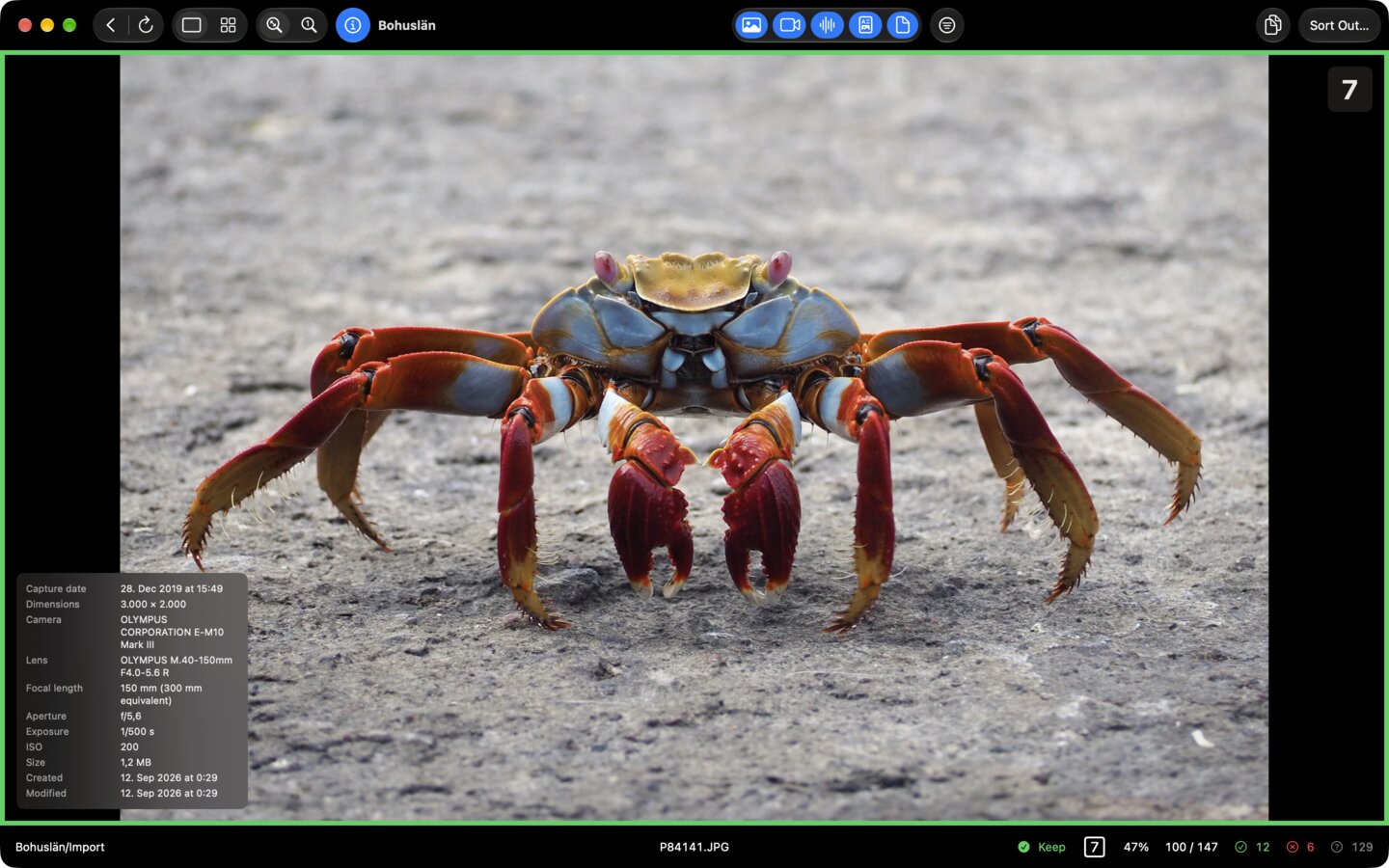
FlowRate takes you through the chosen folder and its subfolders file by file. Keep, discard or rate files and make your decisions without changing the files themselves.
Once you have been through them, FlowRate carries out the actions you configured: files are moved, renamed, sorted or put in the Trash — as you set it up.
Images, videos, audio files, PDFs and other files are all handled in one and the same flow.

Requires macOS 15 or later.
Features
From the first file to the finished folder
Every step of organising files in one interface — review, rate, sort, rename and clear out.
Single files or the whole folder
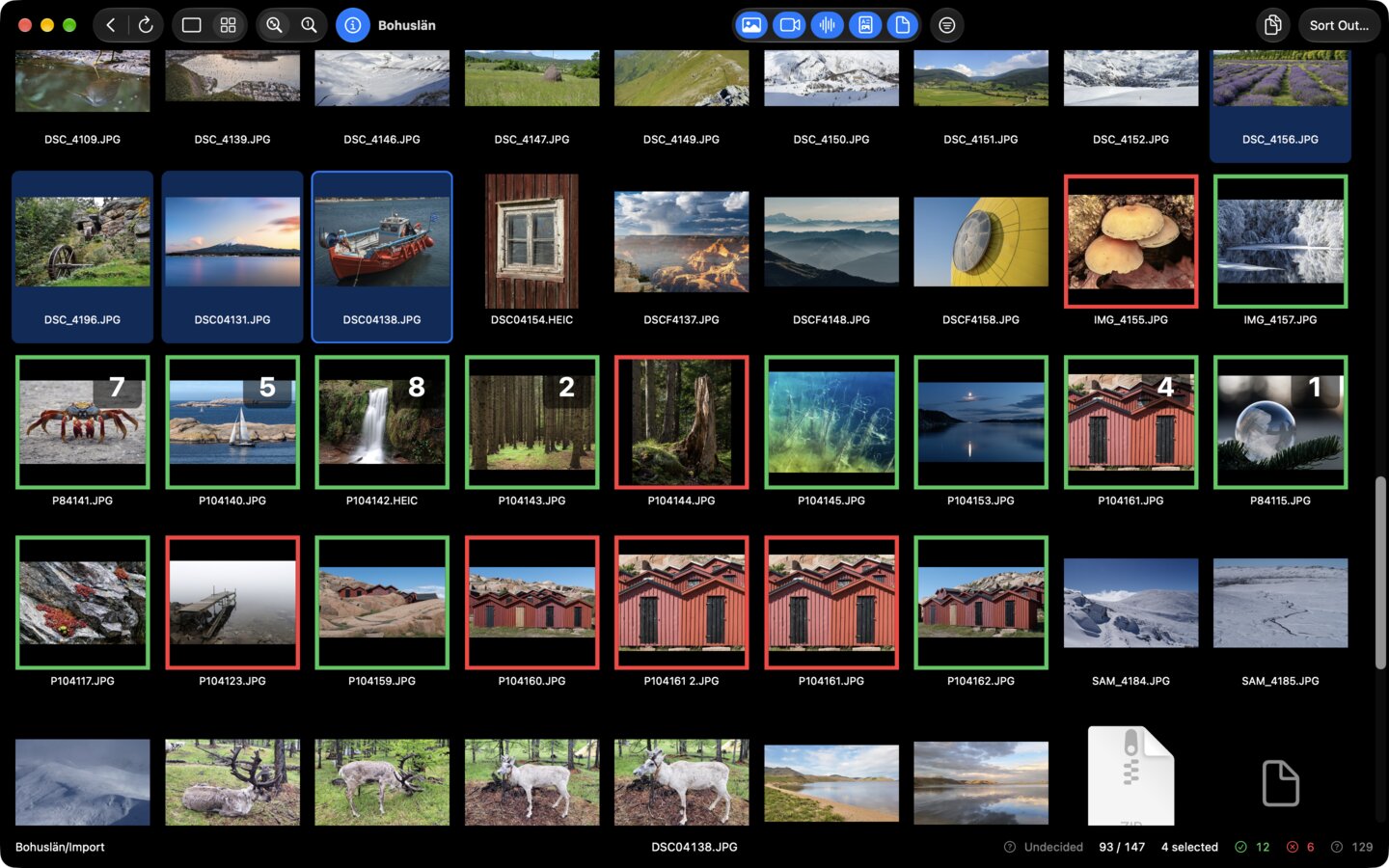
Work through the folder file by file, or use the grid for an overview of everything it holds. Select several files at once and apply actions to all of them together. Decisions for a selection are taken back with a single undo.
Check first, then run
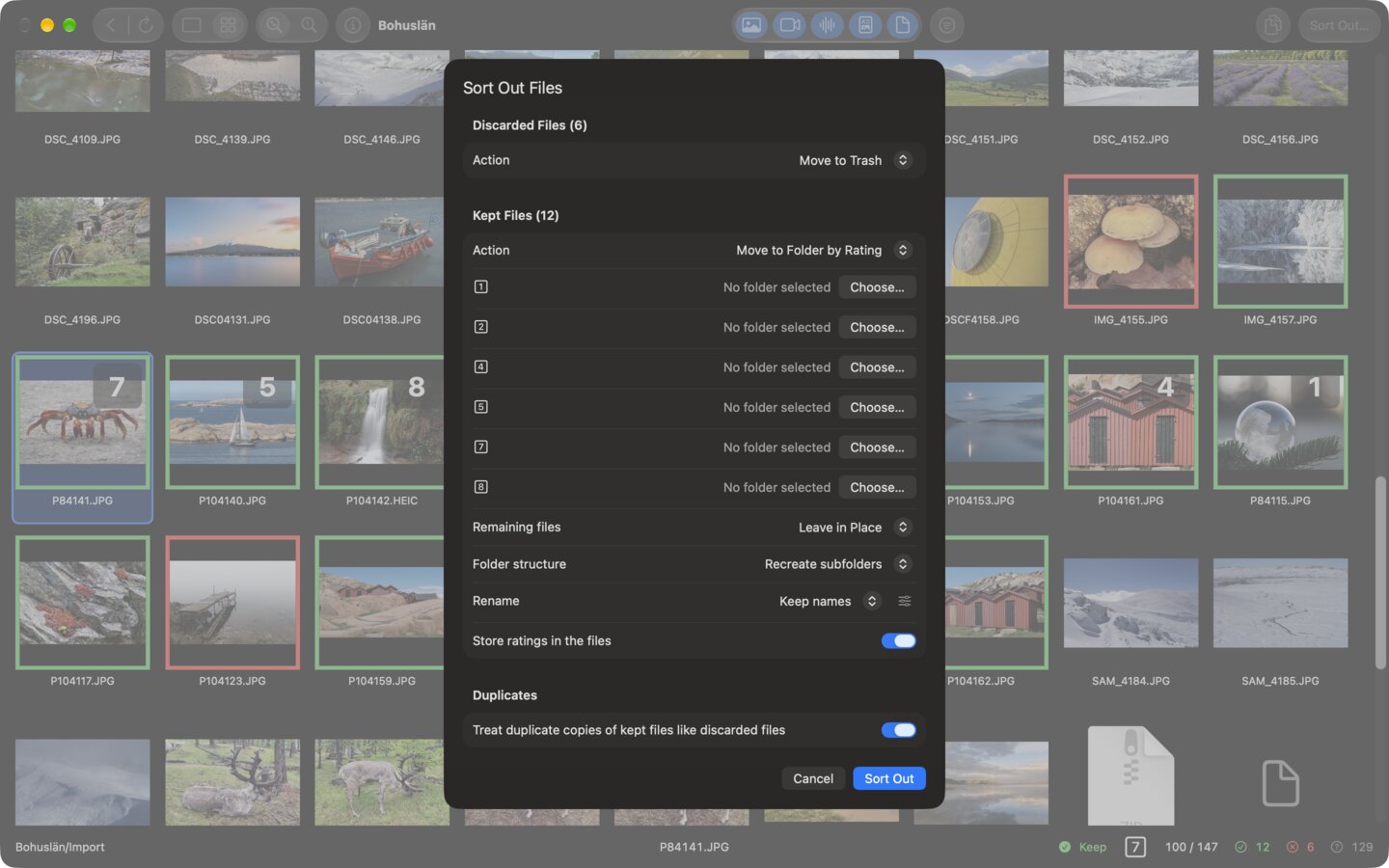
Your decisions change nothing on disk. The actions you configured are carried out only in the run that follows.
Kept and discarded files get their destinations separately. Kept files stay at their original location, move into a folder, or are distributed across folders by their rating. Discarded files stay where they are, move into a folder, go to the Trash, or are deleted permanently.
Rename as you sort
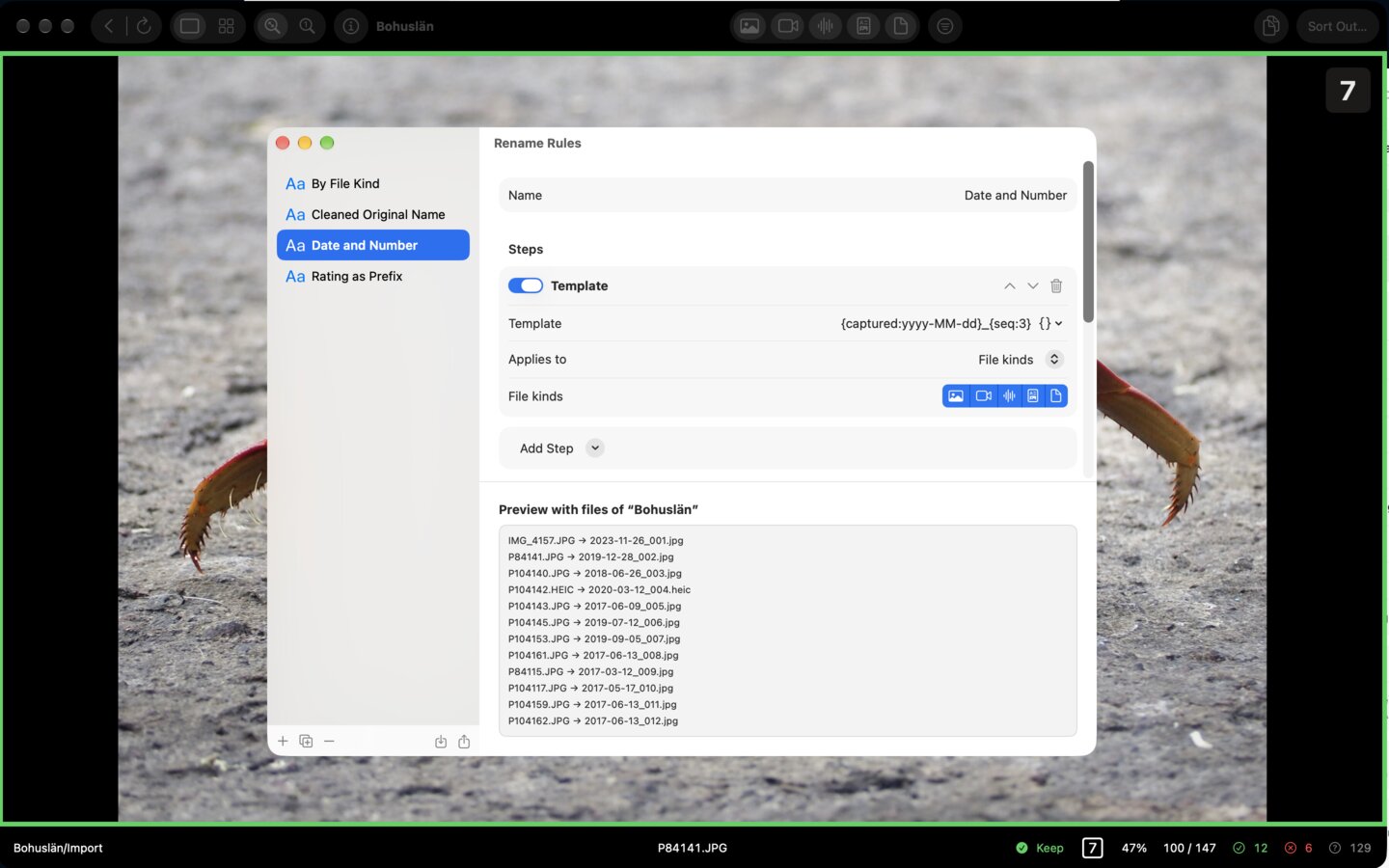
Define a rule set for the new file names — from date, sequential number, rating, camera model or duration, for example. The resulting names are shown before anything is carried out.
Rule sets can be saved as a file and passed on. Where file names were changed in place, those changes can be reverted afterwards with a single click.
Detect exact duplicates
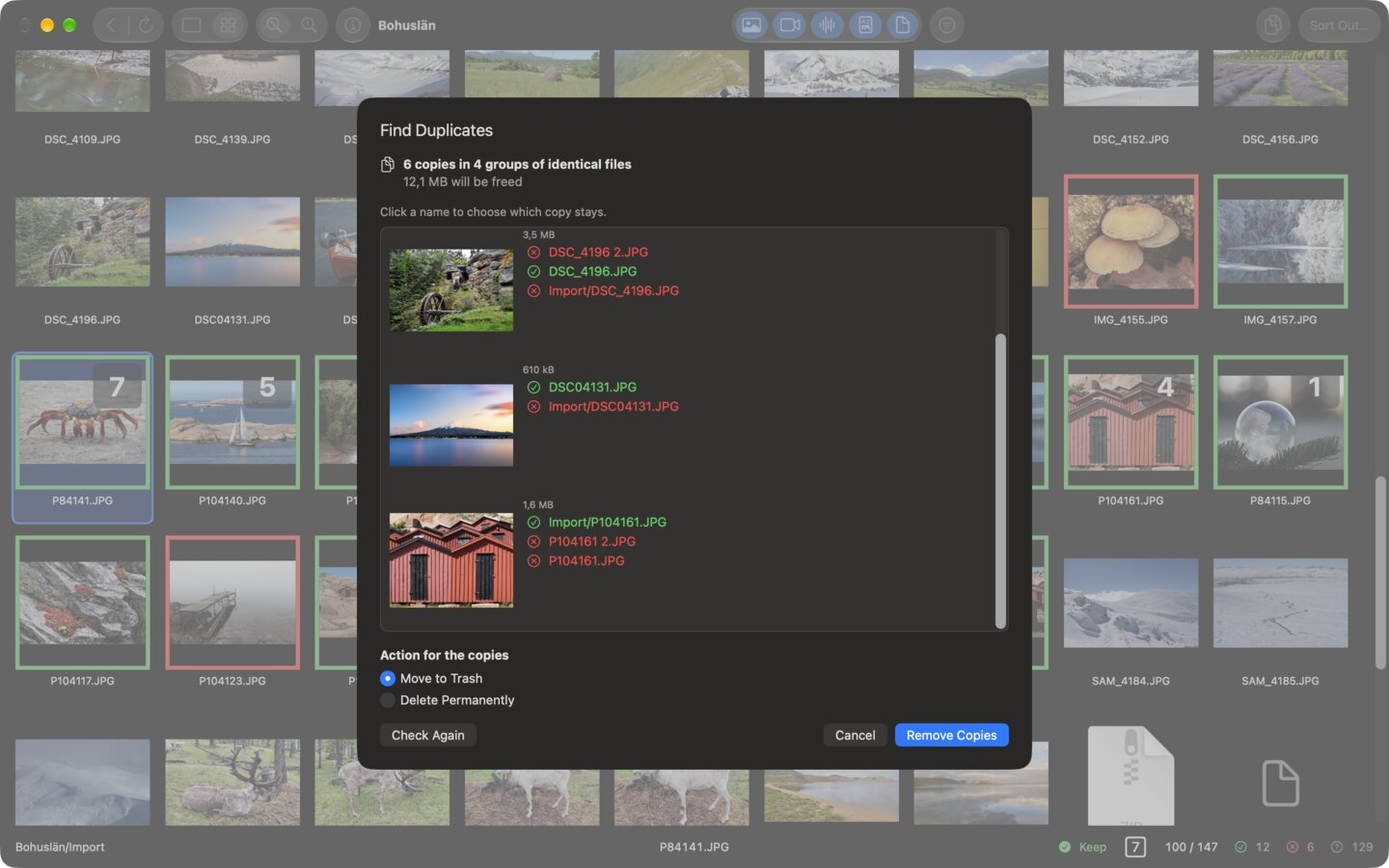
FlowRate detects files that are identical down to the byte and makes the surplus copies visible. You choose which copies stay — single files or every file in a folder. For every run you decide whether duplicates go to the Trash or are deleted permanently. On request FlowRate checks for duplicates whenever a session opens.
Speed
Built for speed
FlowRate is designed for fast processing and efficient workflows — from the first file to the last.
Large directories with thousands of files should not feel fundamentally different from small folders. Files are processed swiftly and are ready for the next step without unnecessary waiting.
A tool for working through files should follow your workflow — not slow it down.
Details
For everyday use
Many features are built to make recurring work faster and simpler — especially when FlowRate is in regular use.
Rate from the keyboard
The keys 1 to 9 keep a file and rate it at the same time. On request the rating is stored directly in the file's metadata, which makes it available to the Finder and Spotlight as well.
Sort and filter
Narrow the current session down to certain file types, extensions, ratings or decisions still pending, and sort it by name, kind, extension, date or size. Filter and order can be changed at any time without leaving the session or the folder.
Carry on later
FlowRate remembers the progress of a session. You can close a folder and pick up later exactly where you left off.
Folders as favorites
Folders you use often can be saved as favorites. The configured subfolder scope and the associated sort-out settings are saved with them and applied automatically the next time they are opened.
Open straight from the Finder
Hand a folder to FlowRate through the Finder's Services menu, or drop it on the app icon.
Four languages
FlowRate is available in German, English, French and Spanish. The language for FlowRate is chosen in the macOS System Settings.
Buy
Buy it once.Keep it forever.
FlowRate is a one-time purchase on the Mac App Store, Family Sharing included.
No subscription, no account, no sign-up!